
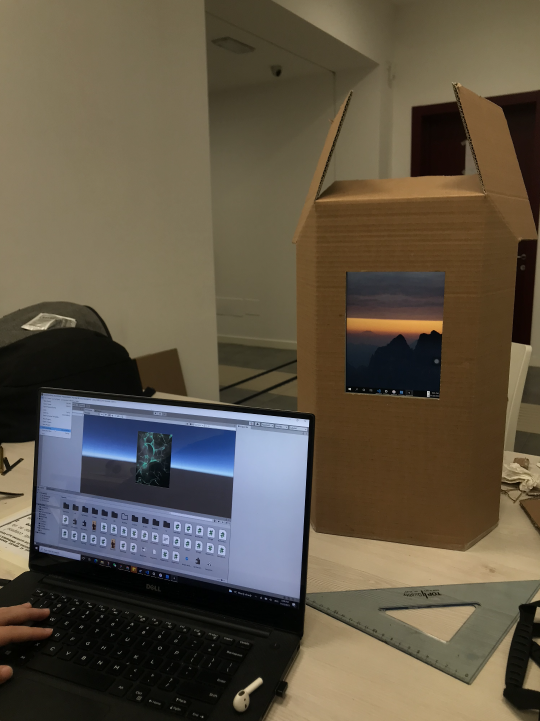
During the project madness, our prototype was tested by more than 20 users. With the physcial prototype, we were able to demostrate the envisioned experience. The prototype utilizes an iPad mini as the interactive screen and Unity runs on Windows as the computing system behind.
For testing our concept on the project madness, we devised a prototype consisting mainly of three elements. First, a cardboard scale model which contained a Tablet for displaying the interactions, a webcam for capturing the emotion, and an opening for dispensing snacks to the testers. Second, the model components were connected to a laptop where we ran the simulation and projected it on the tablet screen. Thirdly, the program, deployed in unity that handled the emotion detection and the responses given to the user.
Bahreini, K., van der Vegt, W. & Westera, W. Multimedia Tools and Applications (2019).https://doi.org/10.1007/s11042-019-7250-z
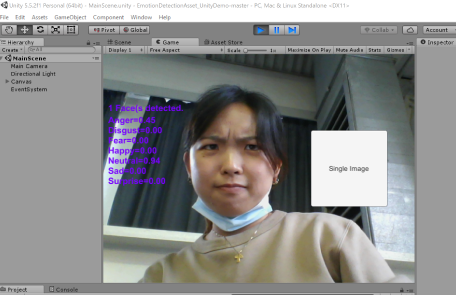
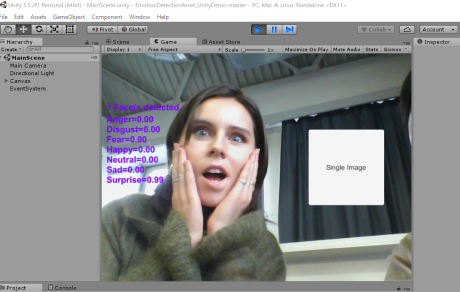
The emotion detection software that was implemented in our demo was a program based on C++. It uses webcam data to provide real-time, continuous, and unobtrusive facial emotional expressions. It uses FURIA algorithm for unordered fuzzy rule induction to offer timely and appropriate feedback based on learners’ facial expressions.
The emotions are represented through 7 different spectrums: Anger, Disgust, Fear, Happy, Neutral, Sad, and Surprise. For every 5 frames, the program generates the score for 7 emotions on a scale of 0.00 - 5.00. In our project demo, we categorize the emotions into three categories: Positive (Happy & Surprise), Neutral (Neutral), and Negative (Anger, Fear and Sad). Our program register all the emotional data generates in a certain period, and calculate the average score of the three categories (Positive, Neutral and Negative) to find the emotional category with the highest score as the final emotional detection results. For example, if one gets 0.17 for Positive, 0.78 for Neutral and 0.18 for Negative, then the final result for him/her is "Neutral".
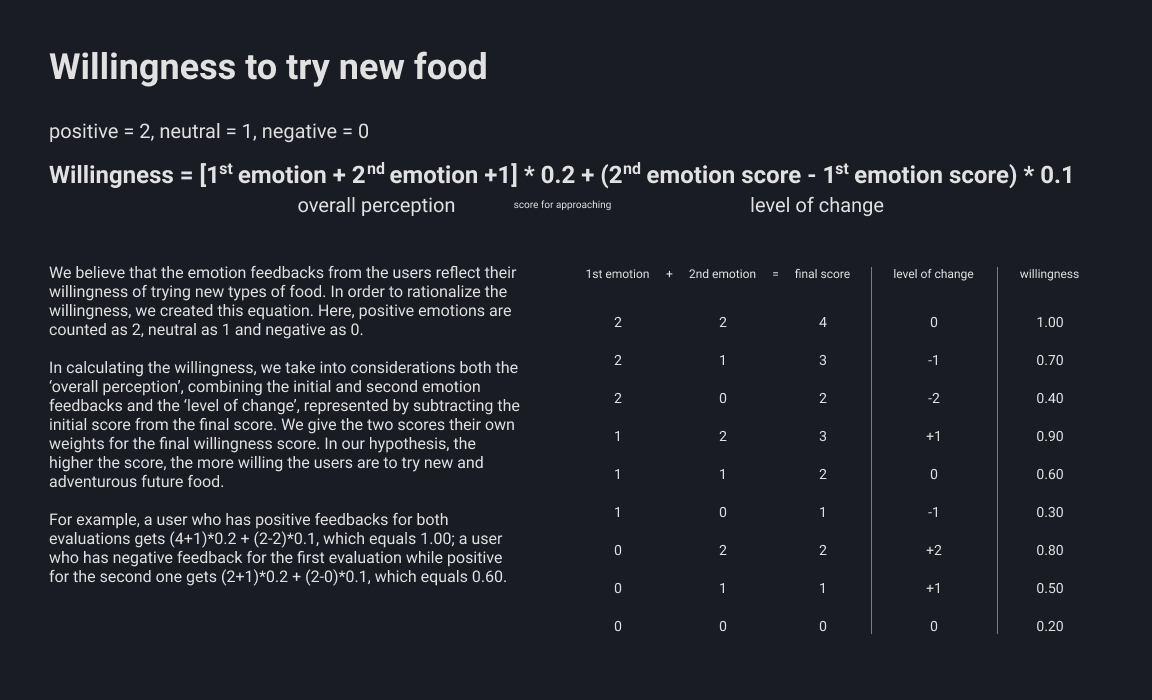
During the demo session, there are two phases that utilize emotion detection, the entry video and the interactive flow. The final result of food recommendations is based on the scores of both detections. The detailed algorithm can be found in the table below.
In the video below, you can see the whole experience the user can interact with our prototype. In the video, only one possible track (negative) was shown. In reality, the system has three different interactive flows corresponding to emotion detection.
For our testing during the project madness event, we also planned out how we would talk to the testers based on the goals we set. We prepared an internal document beforehand as below.
Discovery flow, the introductory experience for new users of the system. As it is the main functionality in terms of the concept (introducing new foods) and where the emotional recognition is more used (responses)
Qualitative data:
Tester’s comments, sspantaneous observations, testers answers to interview and general discussion with them.
Quantitative data:
Emotional detection measurements log.
Gather responses to the concept and idea
Get new unsuspected insights
Validate and improve the concept in terms of effectiveness for introducing new future foods
Onboarding script:
“Hello! this is a testing experience for our project. our concept brings people closer to adopt future food. It is basically a vending machine that adapts to the users and provides a more engaging and meaningful experience. Would you link to discover it?”
When in front of prototype:
Instructions about the use, according to the final configuration of the prototype.
script:
“Now you will get to discover the prototype, please think out loud, any thought that you have about anything please tell us since it is part of the test. We will be here to help you and we are going to be writing some notes.”
(deliver snack or candy when the future food is suggested at the end of the interaction)
After users discovered the experience for the first time, we show the other response posibilities.
script:
“Now you will get to discover more flows from our design, please remember to think outloud.”
(direct to the other flow not seen)
Finally a Semi-structured interview is conducted to gather more insights.
Interview questions:
1- Would you actually try the food suggested?
do you think this product would help you in trying? yes no why?
what do you think work better on you?
2- Do you agree with th responses of the machine? do you think that would impact you if you had a negative state or postive state?
3- Do you perceive that your opinion about the subject changed? how? to which extend?
4- You think that the presentation of the food affects you? ithe shape and familiarity? is familiarity a factor for you?
Offboarding script:
“Thank you very much, keep the candy! It's for you. Here you can find the concept poster on the back should you want to check it out”
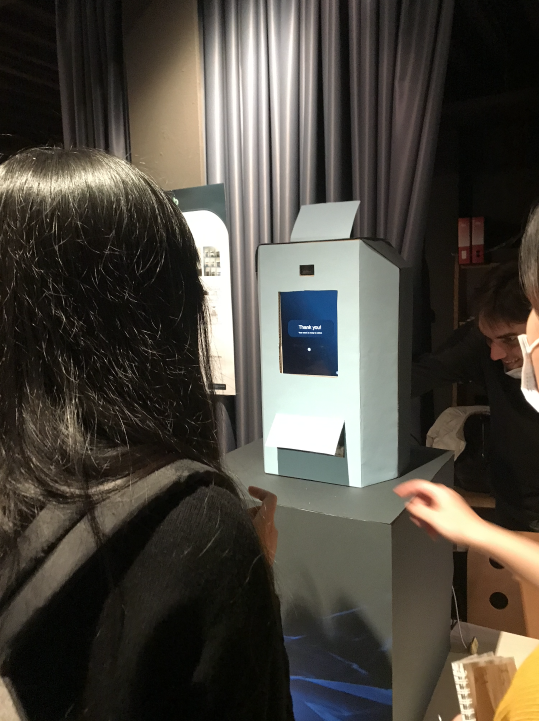
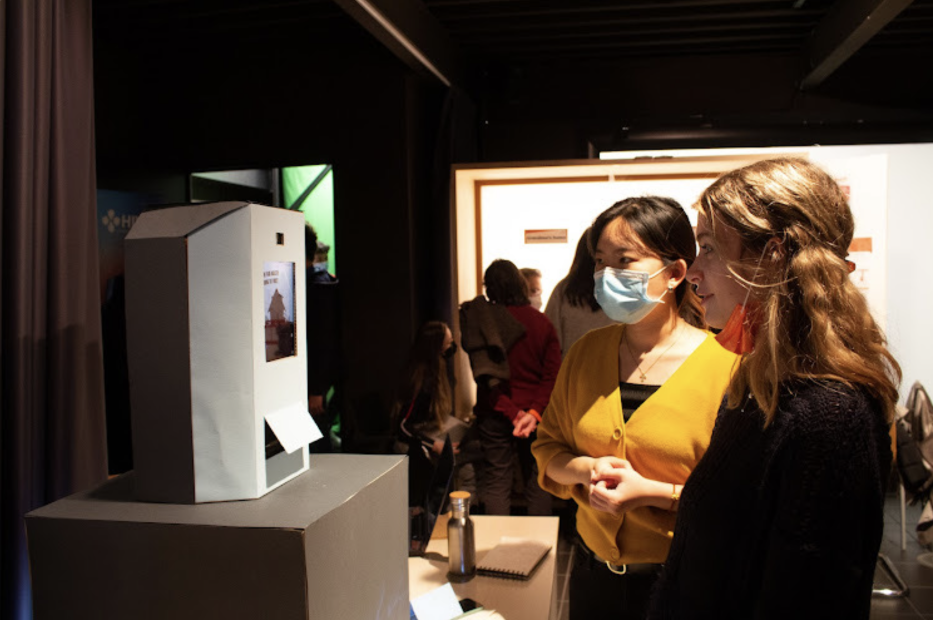
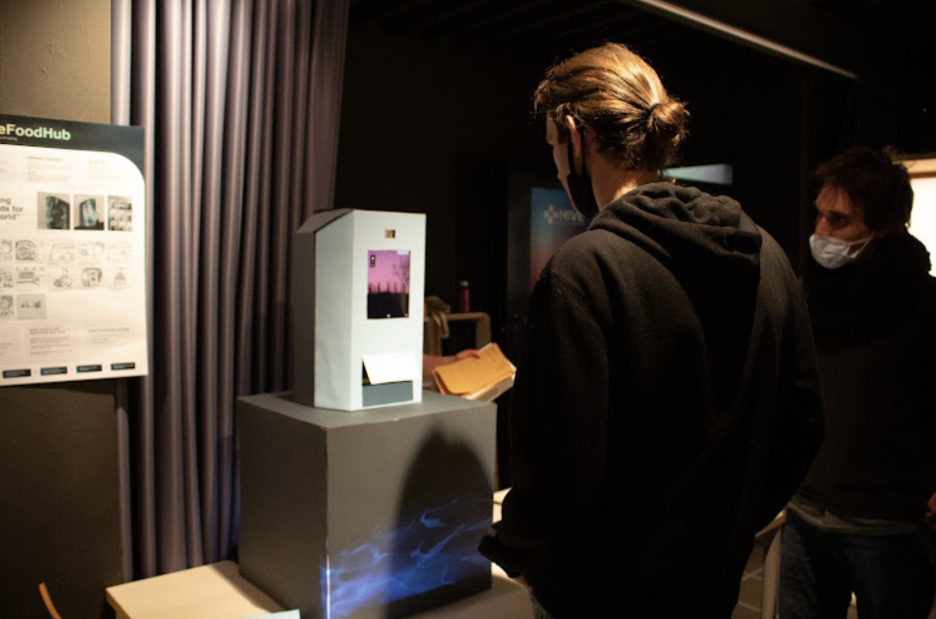
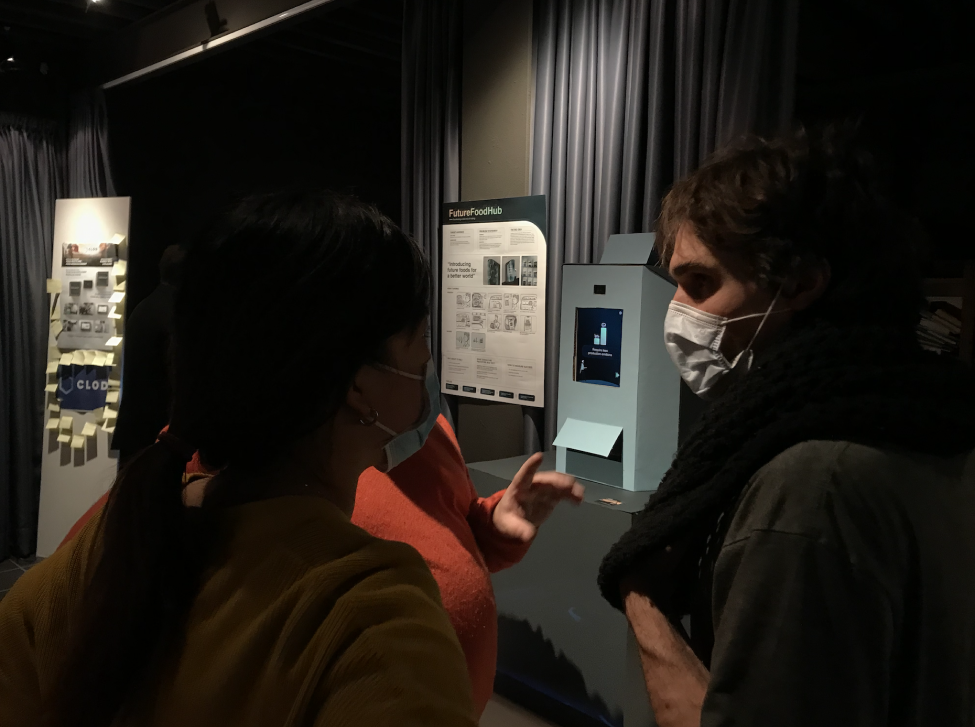
After the testing, we managed to gather mainly qualitative insights, but also some quantitative data related to emotional detection. In a general view, we encountered interesting reflections about our emotional detection mechanism and of course, elements that needed to work better. These results allowed us to iterate the project based on the following points.
During the testing, "Negative" emotions are rarely detected, mostly being "Neutral", followed by "Positive". In addition, we have identified the problem that the reaction to the video can be negative because that the user does cares about the problems shown in the video and feel sad about the situation.
Some testers wanted to skip certain parts of the experience. We decided to add a skip function to give user control and freedom, which is also required in the heuristic evaluation standards.
We have received feedback from more than half of the users that the intro video is too long. There were also suggestions to make the interactive flow shorter and be more visually appealing, rather than displaying long text and data.
60% of the participants has a higher score for position emotion after the interactive flow. The data proves that disclosing information with interaction is effective. We will keep it as one of the main features of the design.
During the testing, there were concerns about the privacy issue related to the emotion detection technology. We also had interesting discussions about whether we should let our users know that the system is detecting their emotions.
Although the interactive flow pushed to the users are effective, people still consider accessibility as the most important factor in purchasing food from the touchpoint.